
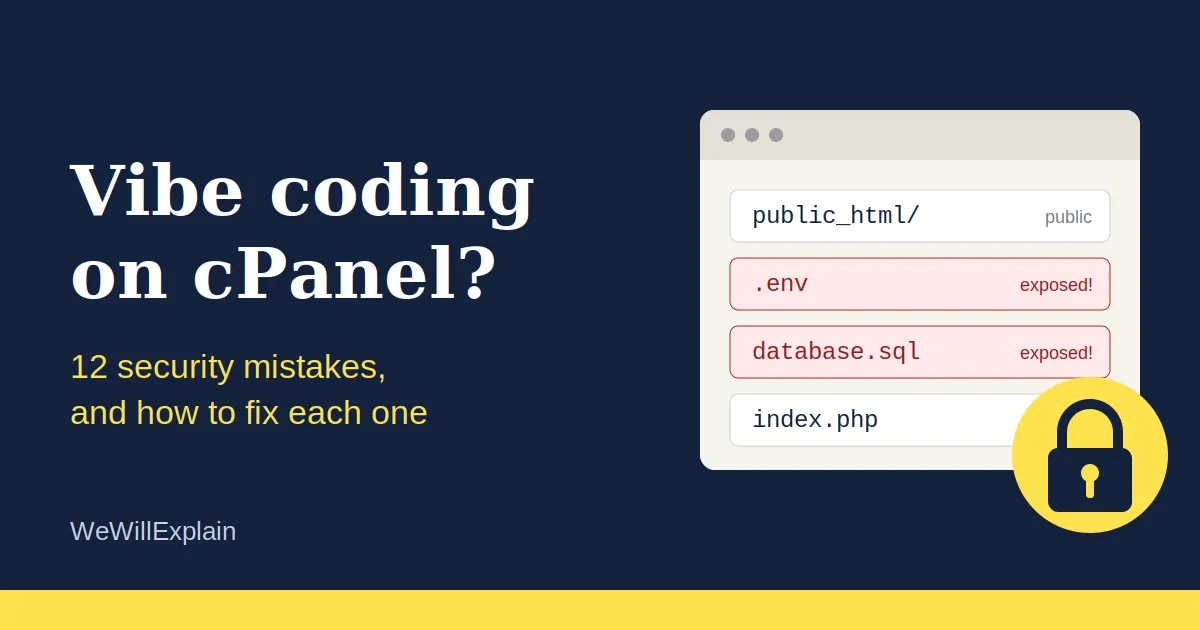
AI tools now let almost anyone build a working website in an afternoon. Describe what you want, paste the code into cPanel, and it runs.
But the AI's goal is to make the code work, not to make it safe. And when you upload files by hand to cPanel, nobody checks what ends up exposed to the whole internet. The same few mistakes keep appearing.
This guide explains each one in plain language, with a fix you can do today.
First, the idea that explains almost everything
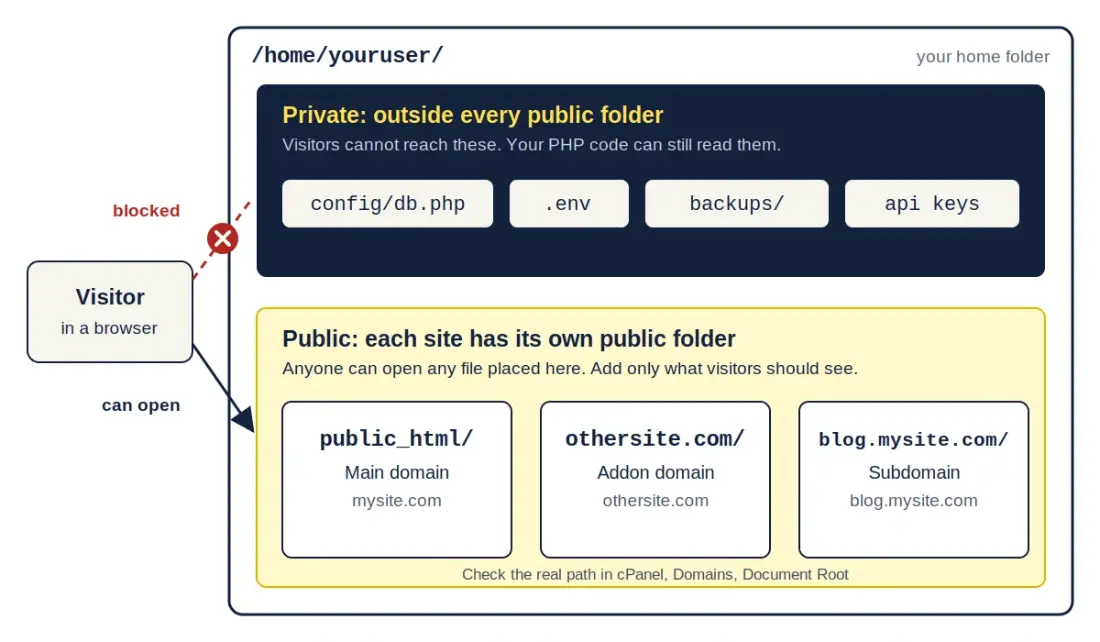
Every website on your hosting account has one public folder. Anything inside it can be opened by anyone with a browser, if they know or guess the file name. Anything outside it can't be reached from the web, but your PHP code can still read it.
So the golden rule is: only put files in a site's public folder that visitors are meant to see. Everything else goes outside it, in your home folder.
Which folder is your public folder?
Most people think the public folder is always public_html. It isn't.
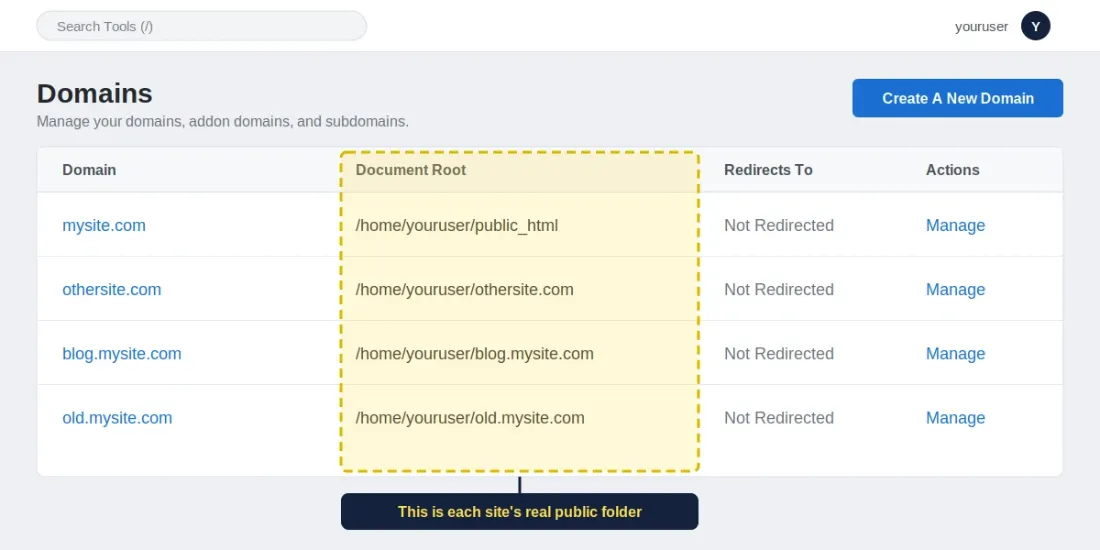
public_html is the public folder for your main domain only. Every addon domain and subdomain you create in cPanel has its own public folder, called its document root.
| Site | Typical public folder |
|---|---|
Main domain (mysite.com) | /home/youruser/public_html |
Addon domain (othersite.com) | /home/youruser/othersite.com (newer cPanel) or /home/youruser/public_html/othersite.com (older or custom setups) |
Subdomain (blog.mysite.com) | /home/youruser/blog.mysite.com or /home/youruser/public_html/blog |
Why this matters:
- "One level up" may still be public. If your addon site's folder is
public_html/othersite.com, then going up one level puts you back inpublic_html, which is public. The safe spot is your home folder (/home/youruser/), outside every public folder. - One site can be reachable through another. When a folder sits inside
public_html, its files can usually be opened atmysite.com/othersite.com/too. A forgotten secret file is then exposed on two addresses. - Rules spread to inner folders. An
.htaccessfile inpublic_htmlalso applies to the folders inside it. - Forgotten subdomains are a favorite target. Test copies like
dev.mysite.comorold.mysite.comoften have debug mode on and no protection.
To find your real public folder: in cPanel, open Domains and read the Document Root column for each domain. Anything private goes outside that path.
1. Database passwords inside the public folder
The mistake: A config.php holding your database host, username, and password sits inside a public folder.
Normally PHP runs this file and shows nothing. But one server hiccup, or a copy named config.php.bak or config.old, turns it into a plain-text download, and your database is exposed.
The fix: Move it outside every public folder and load it by its full path:
/home/youruser/
├── config/db.php        ← private, not reachable from the web
├── public_html/         ← main domain (public)
└── othersite.com/       ← addon domain (public)
require '/home/youruser/config/db.php';Using the full path is safer than counting ../ levels, because you can't accidentally land in another public folder.
2. .env files in the web folder
AI tools love .env files. But .env is plain text, so the server doesn't "run" it. If it sits in a public folder, anyone visiting yoursite.com/.env can read every secret inside.
The fix: Keep .env in your home folder, outside every public folder, and load it from there. Never upload it to GitHub either. Add .env to .gitignore before your first commit.
3. API keys exposed in the browser
The mistake: Putting an OpenAI, Stripe-secret, or Google key directly in JavaScript. Everything in JavaScript is visible to every visitor through "View source," and stolen keys can run up huge bills within hours.
The fix: Call the service from your PHP code on the server, and have your JavaScript call your PHP endpoint instead. The key never leaves the server. Also set spending limits in the provider's dashboard.
4. No .htaccess file at all
.htaccess is a small settings file that tells the server what to block. Without one, the server is wide open. Here is a solid starter for each site's public folder:
# Don't list folder contents
Options -Indexes

# Force HTTPS
RewriteEngine On
RewriteCond %{HTTPS} off
RewriteRule ^(.*)$ https://%{HTTP_HOST}/$1 [L,R=301]

# Block sensitive files
<FilesMatch "(^\.|\.(sql|bak|old|orig|save|swp|log|env|ini|zip|tar|gz)$)">
    Require all denied
</FilesMatch>

# Hide the .git folder
RedirectMatch 404 /\.git(/|$)

# Basic security headers
<IfModule mod_headers.c>
    Header set X-Content-Type-Options "nosniff"
    Header set X-Frame-Options "SAMEORIGIN"
    Header set Referrer-Policy "strict-origin-when-cross-origin"
</IfModule>
Before you paste: back up your existing .htaccess first, since cPanel adds its own lines to it. If one site lives inside another's folder, the outer site's rules apply to the inner one too, so test both after any change.
5. Payment credentials stored on your site
The mistake: Saving card numbers, or leaving payment secret keys in public files.
The fix:
- Never store card numbers, CVV codes, or expiry dates yourself. Use a hosted checkout (Stripe Checkout, PayPal, or your local gateway's hosted page), so card details go straight to them.
- Keep gateway secret keys outside every public folder, like any other credential.
- When the gateway sends payment confirmations (webhooks), verify their signature. Otherwise anyone can fake a "payment successful" message.
6. .sql files and backups left in the web folder
You exported your database to move the site, and database.sql is still sitting in a public folder. The same goes for backup.zip, site.tar.gz, and config.php.bak. Each one is a complete copy of your data, and attackers look for them first.
The fix: Download backups to your computer and delete them from the server. If you must keep them on the server, store them in your home folder, outside every public folder.
7. A forgotten .git folder
If you uploaded your project with its .git folder, your entire code history, including any password you ever committed, can be downloaded.
The fix: Delete .git from every public folder. The .htaccess rule above also blocks it as a second layer.
8. Leftover test files, forgotten subdomains, and visible errors
phpinfo.php, test.php, info.php, and debug pages reveal your server details. Old subdomains like dev. or old. often hold outdated, unprotected copies of your site. And PHP errors shown on screen can leak file paths and database details.
The fix: Delete test files and any subdomain you no longer use (cPanel → Domains). Then turn off on-screen errors, while still logging them:
ini_set('display_errors', '0');
ini_set('log_errors', '1');
9. SQL injection
If your code builds database queries by pasting user input into them, an attacker can type commands into a form field and read or wipe your database.
Bad:
$db->query("SELECT * FROM users WHERE email = '$email'");Good (prepared statements):
$stmt = $pdo->prepare("SELECT * FROM users WHERE email = ?");
$stmt->execute([$email]);
10. XSS, passwords, and login basics
- XSS: if you print user input (comments, names) back onto a page, wrap it in
htmlspecialchars(). Otherwise attackers can inject scripts that steal visitors' sessions. - Passwords: never store them as plain text or with
md5. Usepassword_hash()to save andpassword_verify()to check. - Admin panel: no default or hardcoded logins, limit login attempts, and protect forms with CSRF tokens. Set session cookies to
HttpOnly,Secure, andSameSite.
11. Unsafe file uploads and wrong permissions
An upload form that accepts any file lets an attacker upload a PHP script and take over your site.
The fix: Allow only specific types (check the real file type, not just the extension), rename uploaded files, and block PHP from running in the uploads folder.
On permissions, the usual safe settings are 644 for files and 755 for folders. Never use 777 ("everyone can write"), even if an AI or a tutorial suggests it to "fix" an error.
12. Old software and a weak hosting account
- Keep PHP updated with MultiPHP Manager in cPanel, since old versions have known holes. You can set it per domain.
- Turn on AutoSSL so every domain and subdomain has HTTPS.
- Use a strong, unique cPanel password, and enable two-factor authentication on your hosting account.
- Keep automatic backups, stored somewhere safe.
The 2-minute self-check
Run this for every domain and subdomain you own. Open a browser and try these (swap in your domain):
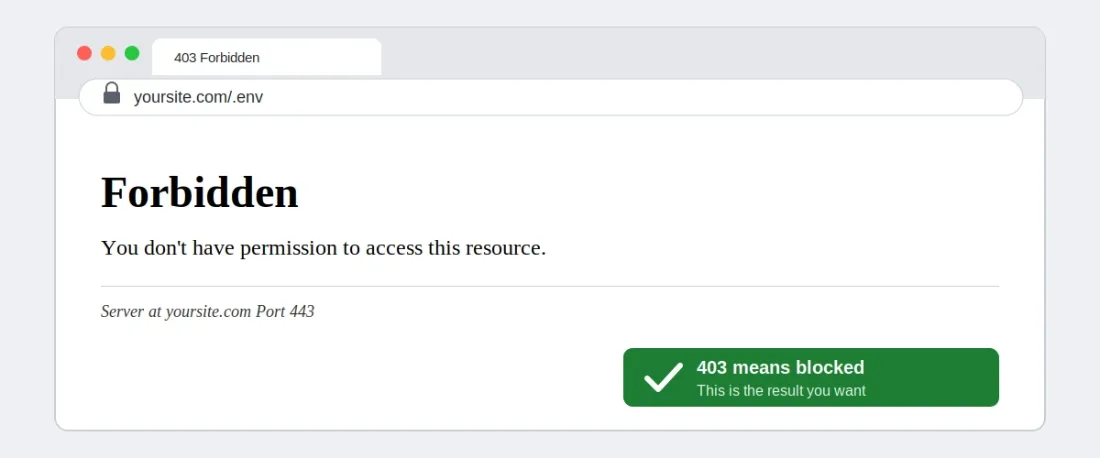
yoursite.com/.envyoursite.com/.git/configyoursite.com/backup.sqlyoursite.com/phpinfo.phpyoursite.com/uploads/(should not list files)
If one of your sites lives inside another's folder, also try it through the outer address, for example mysite.com/othersite.com/.env.
Every one should show "403 Forbidden" or "404 Not Found." If any shows content or a download, fix it right now.
If a secret was ever exposed: deleting the file isn't enough, because someone may already have copied it. Change the password or generate a new key, update your code, then remove the old one. This is called rotating a credential.
The short checklist
- Know each site's real public folder (cPanel → Domains → Document Root)
- Credentials and
.envin your home folder, outside every public folder - API keys only on the server
- A proper
.htaccessin each site - No card data stored, and webhooks verified
- No
.sql,.zip,.bak, or.gitin any public folder - No test files, no forgotten subdomains, errors hidden from visitors
- Prepared statements, escaped output, hashed passwords
- Safe uploads and 644/755 permissions
- Updated PHP, HTTPS on, 2FA on cPanel
AI can help you build fast. Just remember that it doesn't check what you leave exposed. Spend 20 minutes on this list before you launch.