📺 Technology Explained
How Does Streaming Video Reach Your Screen?
You tap play on Netflix, YouTube, or a live match — and video starts in seconds. Behind that tap is a journey across cameras, compressors, servers, and cables spanning the planet. Let’s follow one video frame, step by step, from camera to your screen.
Every streamed video — a YouTube clip, a Netflix episode, or a live cricket match — follows the same hidden pipeline: capture → compress → upload → distribute → adapt → display. Streaming video, video compression, content delivery networks (CDNs), and adaptive bitrate streaming work together so a file too large to email can play instantly on a phone with patchy 4G. Let’s open up each stage.
The 6 Stages of a Streaming Video
Tap each stage below, in order, to see what actually happens to your video data.
🎥 Stage 1: Capture — Light Becomes Data
A camera sensor (on a phone, a studio camera, or a game console) converts light into raw video frames — dozens of full-resolution images every second. Raw, uncompressed video at high resolution can weigh over 1 GB per minute, far too large to send anywhere as-is.
🏠 Think of it like: a chef preparing a huge feast in the kitchen before any of it goes out to guests — nothing has left the building yet.
🗜️ Stage 2: Encoding — Squeezing It Down
A video codec (such as H.264, H.265/HEVC, VP9, or AV1) compresses raw footage by removing data your eyes won’t miss — repeated background pixels, near-identical neighbouring frames, and detail outside human visual sensitivity. This single step is what turns an unsendable gigabyte-per-minute file into a stream of just a few megabytes per minute.
The encoder also creates the file in chunks for protocols like HLS (HTTP Live Streaming) or MPEG-DASH, which split video into small segments — usually 2 to 10 seconds — so your device can download and play them one at a time instead of waiting for the whole file.
📦 Think of it like: vacuum-packing a duvet — same content, a fraction of the size, ready for shipping.
☁️ Stage 3: Upload to the Origin Server
The compressed, segmented video is uploaded to an origin server — the platform’s main storage, often built on cloud infrastructure. For live streams, this happens continuously and almost instantly; for on-demand video, it can also include extra processing like generating subtitles, thumbnails, and multiple resolution versions (1080p, 720p, 480p, etc.).
🏭 Think of it like: a warehouse where the finished, packaged product is stored before being shipped to thousands of stores worldwide.
🌍 Stage 4: CDN Distribution — Going Global
One origin server can’t efficiently serve millions of viewers around the world — distance and traffic would make playback painfully slow. So platforms use a Content Delivery Network (CDN): thousands of “edge servers” placed in data centres across the globe, each holding cached copies of popular videos.
When you press play, your request is automatically routed to the nearest edge server, not the original one — often hundreds or thousands of kilometres closer. This is the single biggest reason streaming feels fast today compared to a decade ago.
🏪 Think of it like: a chain of bakeries with the same recipe in every city, so you never have to import bread from the original bakery on the other side of the world.
📡 Stage 5: Your Network — The Last Mile
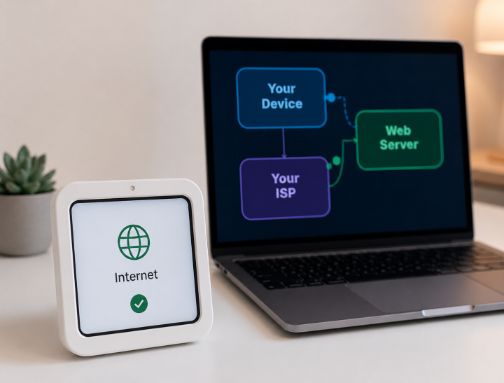
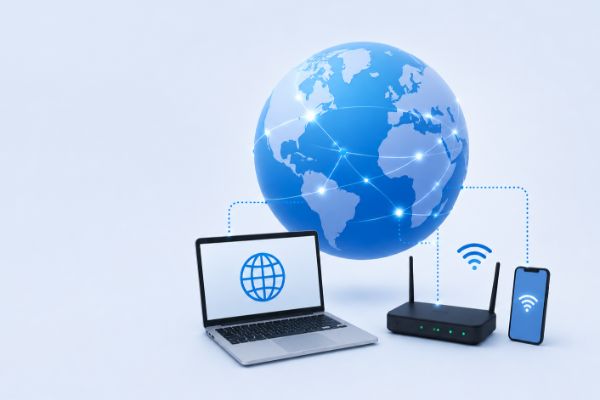
From the CDN edge server, video segments travel through your Internet Service Provider (ISP) — over fibre, cable, or mobile towers — to your home router, then over Wi-Fi or a cable to your device. This final stretch is called the “last mile,” and it’s usually where the most variation in speed happens, since it depends on your specific connection, Wi-Fi signal, and how many devices are sharing it.
🚚 Think of it like: a delivery truck that’s fast on the highway (the internet backbone) but can get stuck at your street’s traffic lights (your home Wi-Fi).
📱 Stage 6: Playback — Adaptive Streaming in Action
Your video player (an app or browser) doesn’t just download blindly — it constantly measures your connection speed and uses Adaptive Bitrate Streaming (ABR) to pick the best-fitting quality segment available, switching between 1080p, 720p, or 480p in real time as conditions change. The player downloads a few seconds ahead into a buffer, decodes the compressed data back into images, and renders them on your screen — usually 24 to 60 times per second.
🎚️ Think of it like: a smart thermostat constantly adjusting itself to stay comfortable, instead of you manually changing the setting every few minutes.
The Full Journey at a Glance
Scroll the diagram below (on phone, swipe sideways) to see how one video segment travels from camera to your eyes.
Why Does a Stream Buffer or Drop Quality?
Slow last-mile connection
Weak Wi-Fi, network congestion, or low mobile signal limits how fast segments arrive, forcing the player to drop resolution or pause.
Far or overloaded CDN edge
If the nearest edge server is busy or your route to it is congested, segments take longer to fetch than the buffer can absorb.
Shared home bandwidth
Multiple devices streaming, downloading, or video-calling at once split the same connection, slowing every stream down.
Device decoding limits
Older phones or smart TVs can struggle to decode high-resolution or high-frame-rate video fast enough, causing stutter even on a fast connection.
📚 Where This Information Comes From
To keep this explanation accurate, the concepts above are based on publicly documented, authoritative sources from companies and organisations that build streaming infrastructure:
- Cloudflare Learning Center — “What is streaming?”
- Cloudflare Learning Center — “What is a CDN?”
- Akamai — “What Is Video Streaming?”
- MDN Web Docs (Mozilla) — Video codec formats guide
- W3C — Media Source Extensions specification
- IETF RFC 8216 — HTTP Live Streaming (HLS) specification
- Netflix Technology Blog — engineering insights on streaming at scale
We link directly to original technical documentation and engineering publications rather than secondary blogs, so you can verify every concept at the source.
Frequently Asked Questions
Streaming sends only a few seconds of compressed video at a time and adjusts quality to your connection, so you never download more than you actually watch. A full download grabs the entire file at maximum quality upfront, regardless of your network speed or whether you finish watching.
A Content Delivery Network is a global network of servers that store cached copies of video close to viewers. Instead of every request travelling to one distant origin server, it’s served from a nearby edge location — cutting travel distance and dramatically reducing buffering and load times.
A codec is the algorithm that compresses video for sending and decompresses it for viewing. Common examples are H.264, H.265 (HEVC), VP9, and AV1. Without codecs, raw video files would be too large to stream over any normal internet connection.
It means the video player automatically switches between multiple pre-prepared quality versions of the same video — say 1080p, 720p, and 480p — based on your real-time connection speed, so playback keeps going smoothly instead of freezing when your network slows down.
This delay, called latency, comes from the time needed to encode, segment, upload, distribute through the CDN, and buffer the video before playback. Standard live streaming typically has 5 to 30 seconds of delay; specialised “low-latency” protocols can shrink this to under 5 seconds.
Overall internet speed doesn’t guarantee a smooth stream. Buffering can still happen due to Wi-Fi interference, an overloaded CDN edge server, other devices using your bandwidth at the same moment, or your device struggling to decode high-resolution video fast enough.
The underlying pipeline — encode, distribute, adapt, decode, render — is the same everywhere. What differs is screen resolution, processing power, and typical network type, which is why apps often serve smaller, mobile-optimised quality tiers to phones on cellular data.
Most streaming platforms encrypt the connection using HTTPS/TLS, and many premium services add Digital Rights Management (DRM) to protect content from piracy. Modern devices handle this encryption with negligible impact on playback speed.
🧠 Quick Recap
- Capture — a camera records raw, oversized video frames.
- Encode — a codec compresses footage and splits it into small segments.
- Upload — segments are stored on an origin server in the cloud.
- CDN distribution — copies spread to edge servers near viewers worldwide.
- Your network — your ISP and Wi-Fi deliver the final “last mile.”
- Playback — your device buffers, adapts quality, decodes, and renders the picture.
Every time you press play, this entire global relay happens in the time it takes to blink — turning a few seconds of light into a picture on your screen, anywhere on Earth. 🌍🎬